
Practical guides from Marsen
CRM Best Practices: How to Use a CRM With Automation and AI
What are CRM best practices?
CRM best practices are habits that keep customer records accurate and give every lead a clear next step.
This guide covers how to use a CRM day to day and how to keep your data clean. It also explains what CRM automation can do and where AI fits in. It's written for small sales and service teams, not for big enterprise rollouts.
How do you use a CRM well?
To use a CRM well, log each enquiry once and give it an owner and a dated next step.
If you're still learning how to use a CRM, start with these five habits:
- One record per customer: Search before you create a contact, so the same person doesn't end up in two places.
- One owner per lead: Every open lead needs a single person who's responsible for the next move.
- A dated next step: Each record should show what happens next and by when.
- Notes after every call: Write down what the customer said while it's still fresh.
- A weekly review: Spend a few minutes checking overdue tasks and stuck deals.
What should a CRM record include?
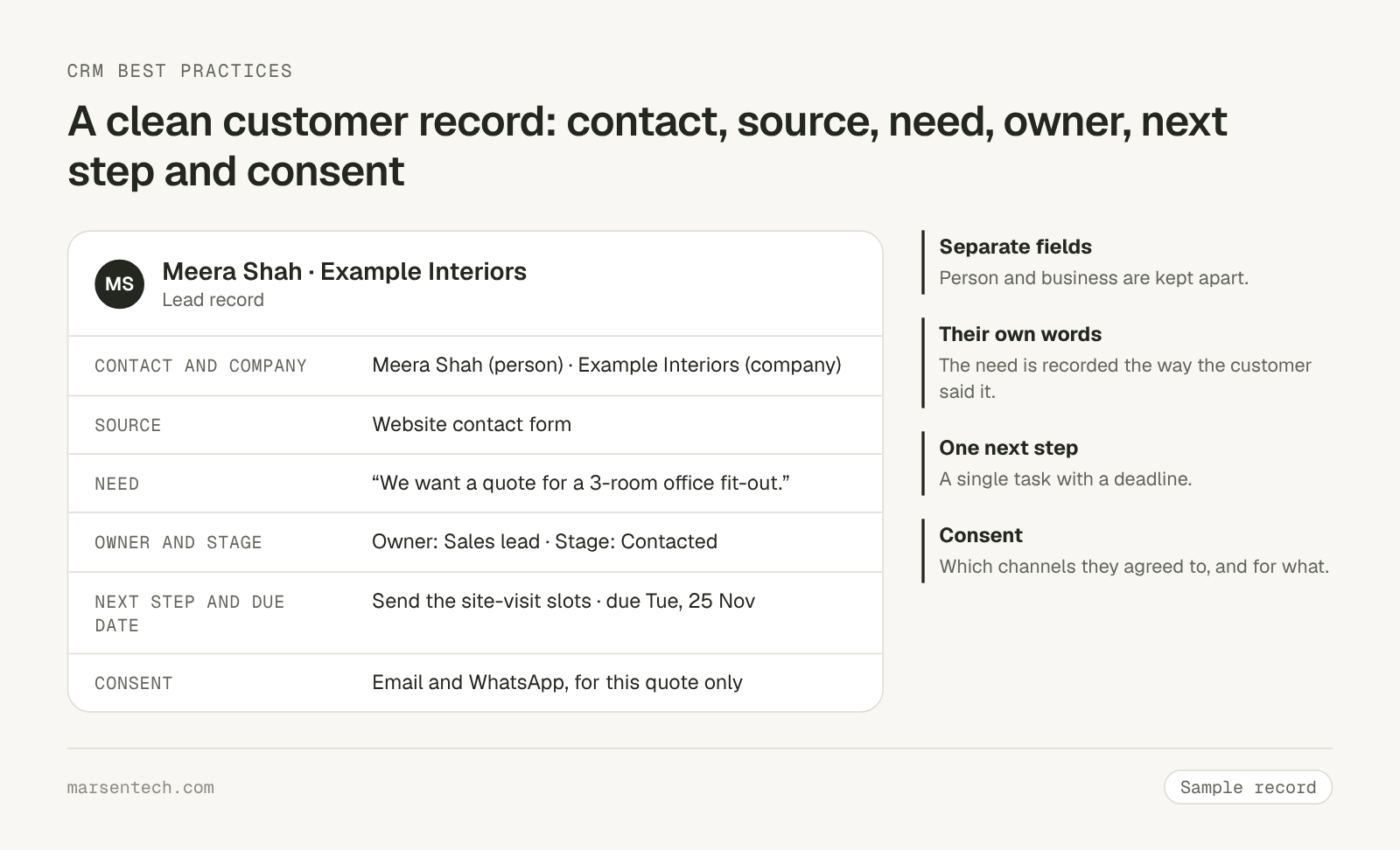
A good CRM record shows who the customer is, what they need, who owns them and what happens next.
- Contact and company: The person and the business, kept in separate fields.
- Source: The form, call or message the lead came from.
- Need: What the customer asked for, in their own words.
- Owner and stage: Who's handling it and where it sits in your pipeline.
- Next step and due date: One clear task with a deadline.
- Consent: Which channels the customer agreed to and for what purpose.
What is CRM data management?
CRM data management is how your team adds, updates, merges and removes records so the data stays reliable.
Agree on these rules before you add more tools:
- Required fields: Decide which fields every new record must have before it's saved.
- Formats: Use one format for phone numbers, dates and company names.
- Duplicates: Pick which record wins when two of them describe the same person.
- Editing rights: Decide who can change key fields like owner, stage and deal value.
- Old records: Archive leads that went quiet instead of leaving them open forever.
How do you keep good CRM hygiene?
Good CRM hygiene means checking for duplicates, gaps and stale records on a fixed schedule, not once a year.
CRM data hygiene works best as a small weekly habit:
- Merge duplicates: Combine records that share an email address or phone number.
- Fill the gaps: Add missing owners, sources and next steps.
- Close dead deals: Mark lost deals as lost, so your pipeline shows the real picture.
- Check consent: Remove people who asked not to be contacted from every sequence.
What is CRM data cleansing?
CRM data cleansing is a one-time cleanup that fixes bad, duplicate and old records before you automate anything.
- Back up first: Export your records, so you can undo a mistake.
- Set the rules: Agree on formats and on which record wins in a merge.
- Merge duplicates: Start with exact matches on email address or phone number.
- Fix formats: Clean up names, numbers and dates so filters work properly.
- Archive what's dead: Move old, inactive records out of your working views.
- Stop it coming back: Add required fields and duplicate checks to your forms.
What is CRM automation?
CRM automation uses simple rules in your CRM to do repeat jobs for you, like adding tasks and sending reminders.
It saves your team from copying the same details between tools. But automation only works on clean data, which is why the cleanup comes first. A rule that runs on duplicate records will simply send duplicate messages.
What does a CRM workflow look like?
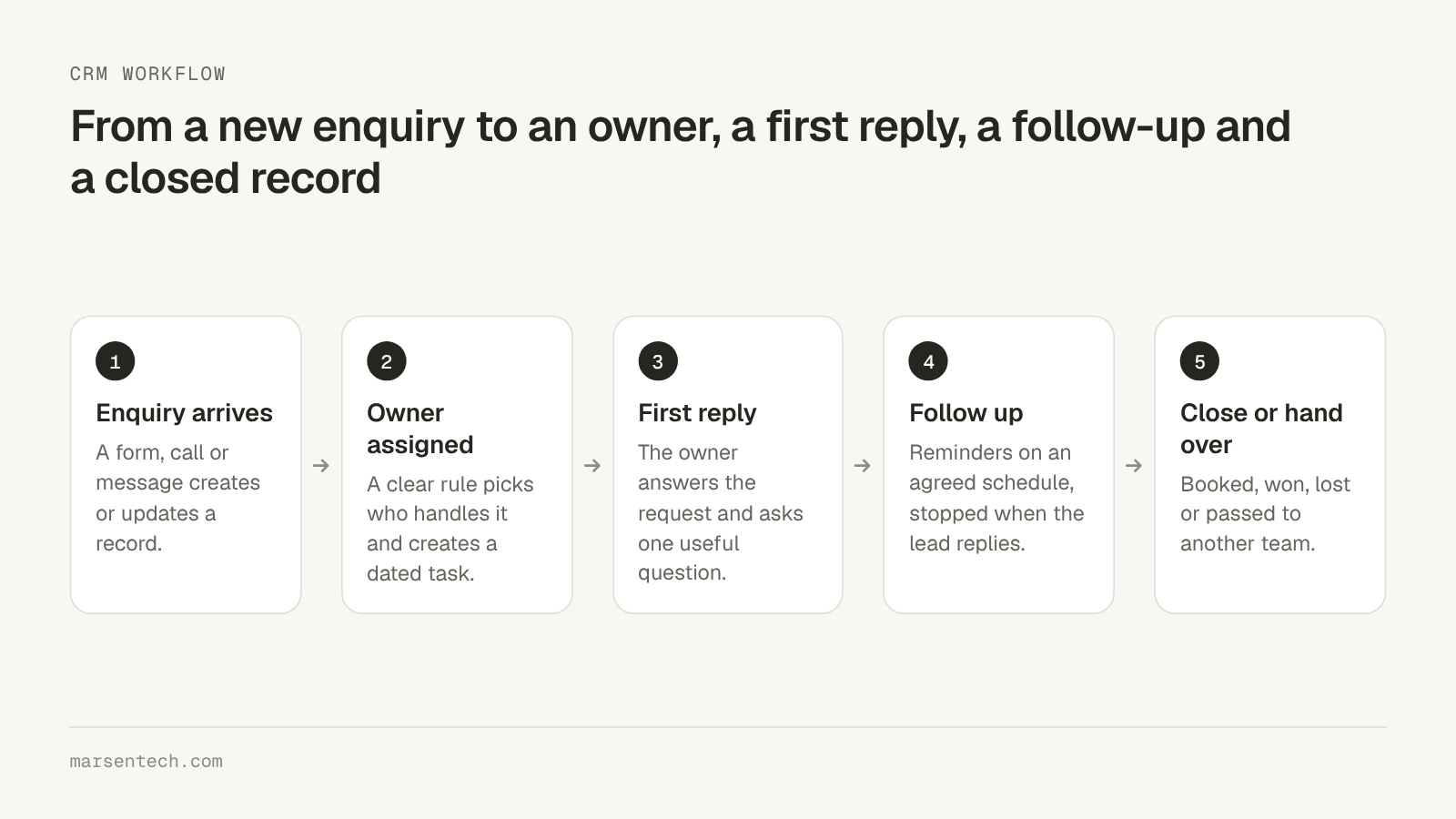
A CRM workflow is the set path a lead takes from first enquiry to a booked call or a closed record.
Here's a simple CRM workflow for a small services team:
- Enquiry arrives: A form, call or message creates a record or updates an existing one.
- Owner assigned: A clear rule picks who handles it and creates a dated task.
- First reply: The owner answers the actual request and asks one useful question.
- Follow up: Reminders run on an agreed schedule and stop when the lead replies.
- Close or hand over: The record moves to booked, won, lost or another team.
Our CRM lead follow up guide walks through this flow step by step, with email templates.
Which tasks should CRM workflow automation handle?
CRM workflow automation should handle routine steps with clear rules, while people keep anything that needs judgement.
- Automate: Task creation, reminders, stage updates, assignment rules, email logging and stopping a sequence after a reply.
- Keep with people: Pricing, discounts, complaints, unusual requests and any promise to the customer.
If you're not sure, start with one workflow, like the first reply to a new enquiry. Add the next one only when the first runs cleanly for a few weeks.
How can AI help inside a CRM?
AI helps most inside a CRM by summarizing conversations and drafting replies for a person to check.
- Summaries: Turn a long email thread or call note into a few lines on the record.
- Drafts: Prepare a follow-up that uses what the customer actually asked.
- Call prep: List the open questions before a meeting.
- Data checks: Flag records that look like duplicates or have missing fields.
Show where each fact came from, and let the owner edit the result before anything goes out. AI can't fix a record that mixes several people or has no owner. One service business we worked with went from 1 closed deal a month to 7 after adding AI follow-up. That's one result, not a promise.
How do you connect channels to a CRM?
Connect email, WhatsApp, phone and booking tools so each one finds the same customer record by email address or phone number.
- Matching rule: Agree on how each tool decides which record a message belongs to.
- Timestamps: Keep the time of every message, so the history makes sense.
- Consent: Store which channels each customer agreed to.
- Failures: Decide what happens when a message isn't delivered.
- Opt-outs: Stop every channel when someone asks not to be contacted.
Who should be allowed to edit CRM data?
Only the people who need to change a record should be able to edit, export or delete it.
- Read: Most of the team can view the records they work on.
- Edit: Owners and managers can change stages, values and next steps.
- Export and delete: Keep these with one or two trusted people.
- Integrations: Give each connected tool access only to the data it needs.
Ask for a person's approval before unusual discounts, sensitive messages or changes to what a customer pays.
How do you measure if your CRM is working?
Measure your CRM by how fast you reply, how many next steps are overdue and how many good-fit deals you get.
- Response time: Time from a new enquiry to a useful reply.
- Overdue next steps: Open records whose next task is past its due date.
- Duplicate rate: New duplicates found each week, divided by new records.
- Qualified deals: Leads your team calls a good fit, divided by the real enquiries it reviewed.
Check whether automation helps your team have better conversations, not just more of them.
What CRM mistakes should you avoid?
Most CRM mistakes come from automating messy data, adding too many fields or leaving leads with no owner.
- Automating messy data: Rules spread mistakes faster than people do.
- Too many fields: If a form takes too long to fill in, people skip it.
- No clear owner: When everyone owns a lead, nobody replies.
- Counting messages: More emails sent doesn't mean better results.
- Letting AI send alone: Customer-facing claims need a person to check them first.
Frequently asked questions
What is the most important CRM best practice?
The most important habit is one record per customer, with one owner and a dated next step.
Is CRM automation the same as AI?
No, CRM automation follows rules you set, while AI writes, sorts or suggests things for a person to check.
How often should you clean CRM data?
Do small checks every week, and run a deeper CRM data cleansing every few months.
Does a small team need CRM automation?
Yes, if the same follow-up tasks repeat every week, but start with one workflow and grow from there.
Can Marsen set this up for you?
Yes, Marsen sets up CRM workflows and AI follow-up for small teams, scoped to your tools and approvals.
Who wrote this guide?
Aranyak Sengupta is the co-founder of Marsen Technologies, an AI automation company in Siliguri, India. He builds and tests Marsen's n8n workflows, AI agents, CRM integrations and technical SEO work.
What should you read next?

Built around your business
Put what you’ve learned to work.
Book a demoBring us your questions. We’ll help you find a useful next step for your business.