
A practical guide for your team
How to Build an AI Agent: 7 Steps for Your Business
What does it take to build an AI agent?
To build an AI agent, give a language model clear instructions, connect it to tools and test it on real tasks.
An agent is different from a script, because it decides the next step on its own instead of following fixed rules. We're Marsen Technologies, and we build AI agents and WhatsApp automation for service businesses. Book a free 60-second enquiry audit and we'll show you which task an agent could take on first.
What are the parts of an AI agent?
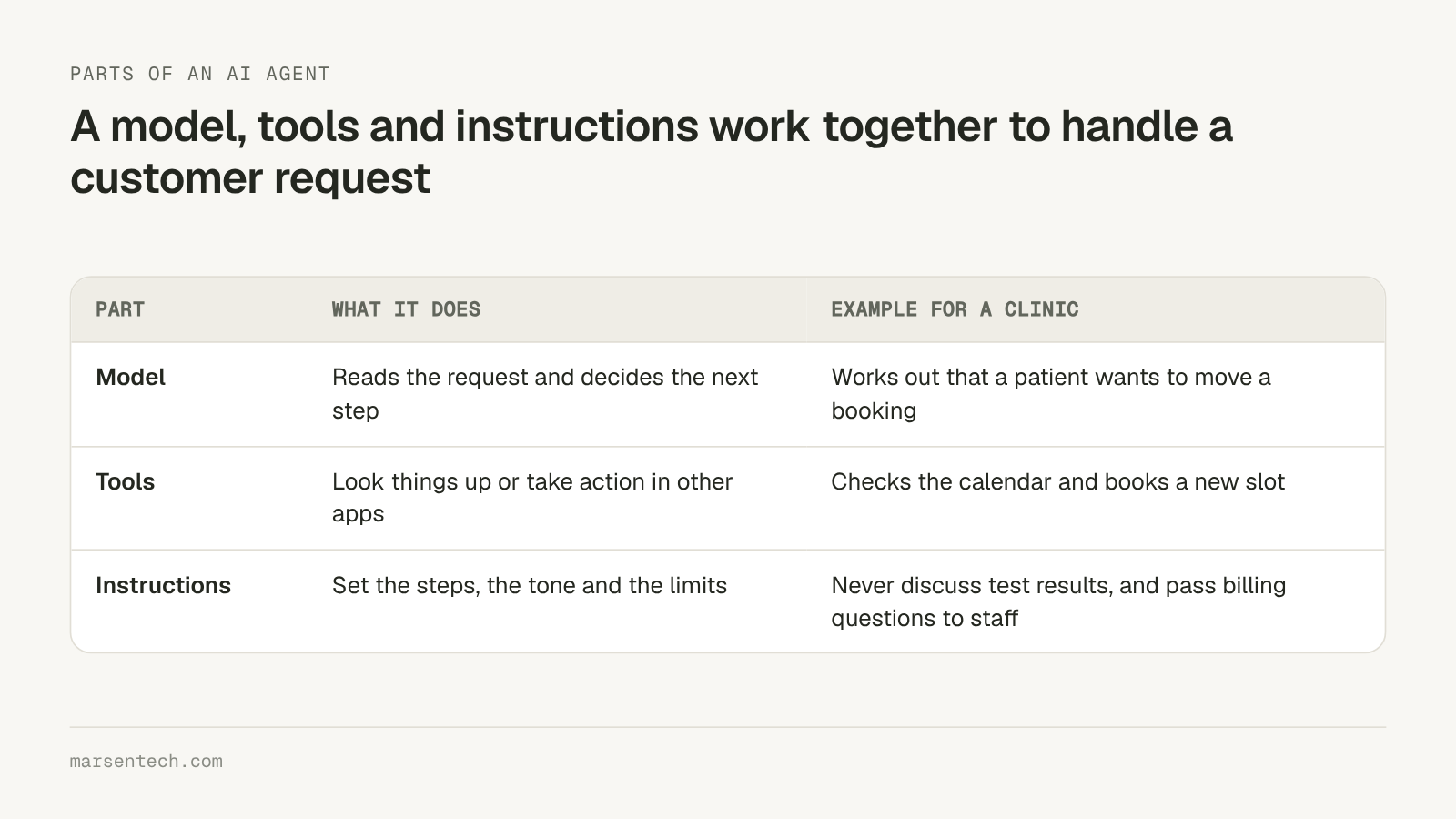
Every AI agent has three parts: a model that thinks, tools that act and instructions that tell it what to do.
OpenAI's practical guide to building agents names the same three parts. Here's how they fit together:
| Part | What it does | Example for a clinic |
|---|---|---|
| Model | Reads the request and decides the next step | Works out that a patient wants to move a booking |
| Tools | Look things up or take action in other apps | Checks the calendar and books a new slot |
| Instructions | Set the steps, the tone and the limits | Never discuss test results, and pass billing questions to staff |
How do you build an AI agent step by step?
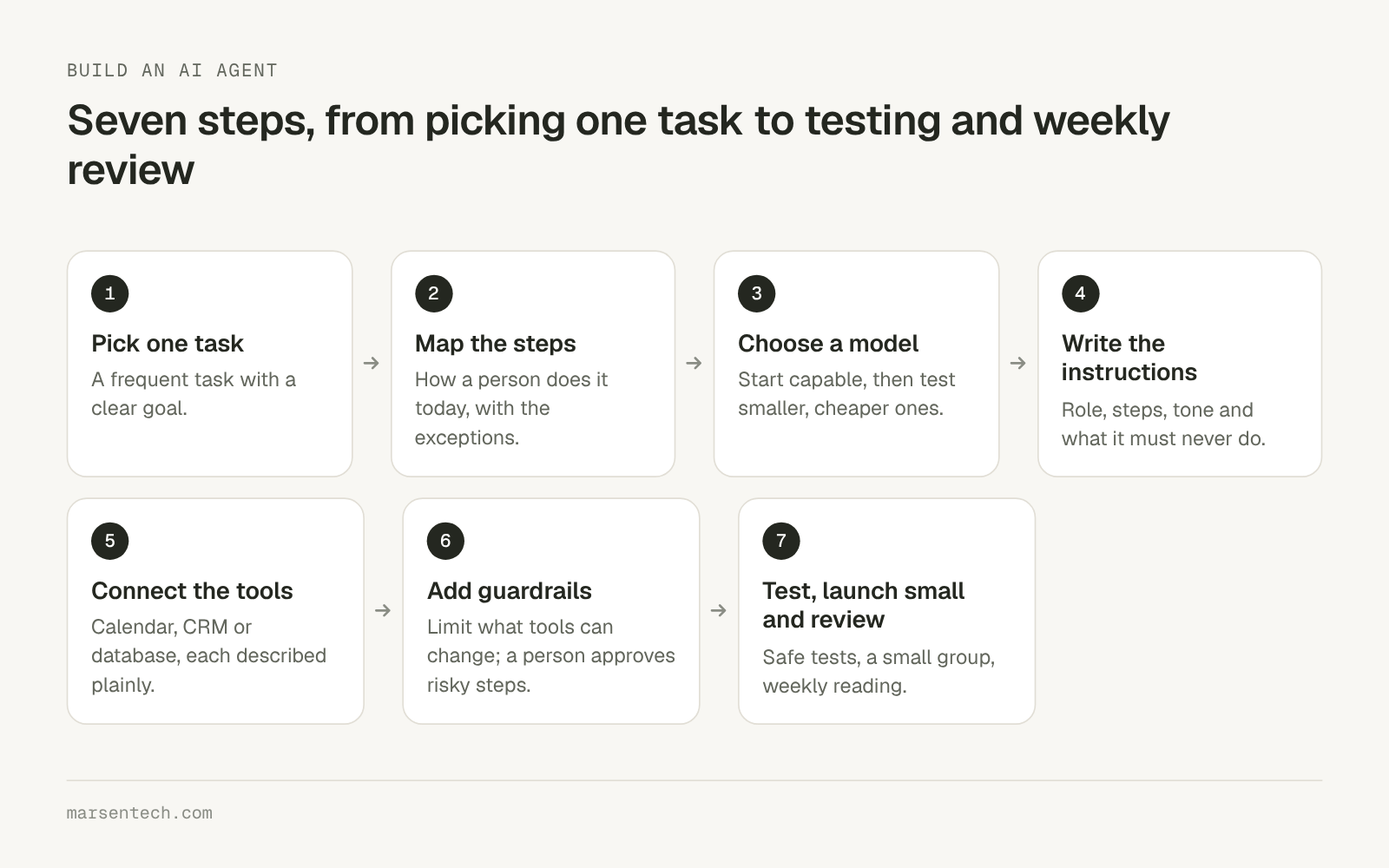
You build an AI agent by choosing one task, writing its instructions, connecting tools and testing it before customers use it.
Here's how to build an AI agent in seven steps:
- Pick one task: Choose a frequent task with a clear goal, such as answering inquiries or booking calls.
- Map the steps: Write down how a person does it today, including the questions they ask and the exceptions.
- Choose a model: Start with a capable model to see what good looks like, then test smaller and cheaper ones.
- Write the instructions: Give the agent its role, the steps to follow, the tone to use and what it must never do.
- Connect the tools: Link the calendar, CRM or database it needs, with a plain description of what each tool does.
- Add guardrails: Limit what each tool is allowed to change, and let a person approve anything risky.
- Test, launch small and review: Try real examples in a safe test setup, launch to a small group, then read conversations every week.
Should you build an agent or a simple workflow?
Stick with a simple workflow if the steps never change, and only build AI agents when the work needs judgment.
Anthropic, the company behind Claude, explains the difference in its guide Building effective agents. Workflows follow steps written in code, while agents decide their own steps and which tools to use. Its advice is simple: start with the easiest solution that works, and only add more when you really need to.
Agents also respond more slowly and cost more to run, because every decision requires another model call. Anthropic calls it a trade of speed and cost for better results, which only makes sense when tasks get hard.
OpenAI's guide points to three kinds of tasks where agents do better than fixed rules:
- Complex decisions: Choices that need judgment, such as whether to approve a refund.
- Rules that keep breaking: Policies with so many exceptions that your team keeps rewriting the rules.
- Unstructured information: Emails, documents or chats that the system has to read and understand.
Can you build AI agents without code?
Yes, a no code AI agent builder lets you build AI agents by connecting blocks on a visual canvas.
Workflow tools like n8n include an AI agent block that connects a model to your apps. Visual builders let you build AI agent workflows without writing code, which suits most small business assistants. Custom code makes more sense for heavy traffic, unusual systems or strict data rules.
Whichever AI agent builder you pick, the seven steps above stay the same.
How do you write instructions for an AI agent?
Write AI agent instructions like a training guide for a new hire: the role, the steps, the tone and the limits.
A short set of instructions for an inquiry agent might look like this:
- Role: You answer course inquiries for a coaching institute.
- Steps: Greet the student, ask which course they want, share fees and timings, then offer a demo class.
- Tone: Friendly and short, in the language the student writes in.
- Limits: Never promise results or discounts, and pass complaints to a counselor.
- Tools: Use the calendar tool to book demos and the CRM tool to save every lead.
Anthropic's guide says to describe each tool carefully, then try it with sample inputs to see how the agent uses it. If the agent misreads a tool, rewrite its description before you touch the main prompt.
How do you test an AI agent before launch?
Test an AI agent with a list of real questions, check every answer and fix the instructions before customers see it.
A simple test routine looks like this:
- Collect real questions: Pull 30 or more from your inbox, WhatsApp chats and call notes.
- Include hard cases: Add angry messages, unclear requests and questions the agent shouldn't answer.
- Score each reply: Mark it right, wrong or risky, and write down why.
- Rerun after changes: Run the full list again whenever you change the model, the tools or the instructions.
Keep the results in a spreadsheet, so you can compare accuracy between versions.
How do you keep an AI agent safe?
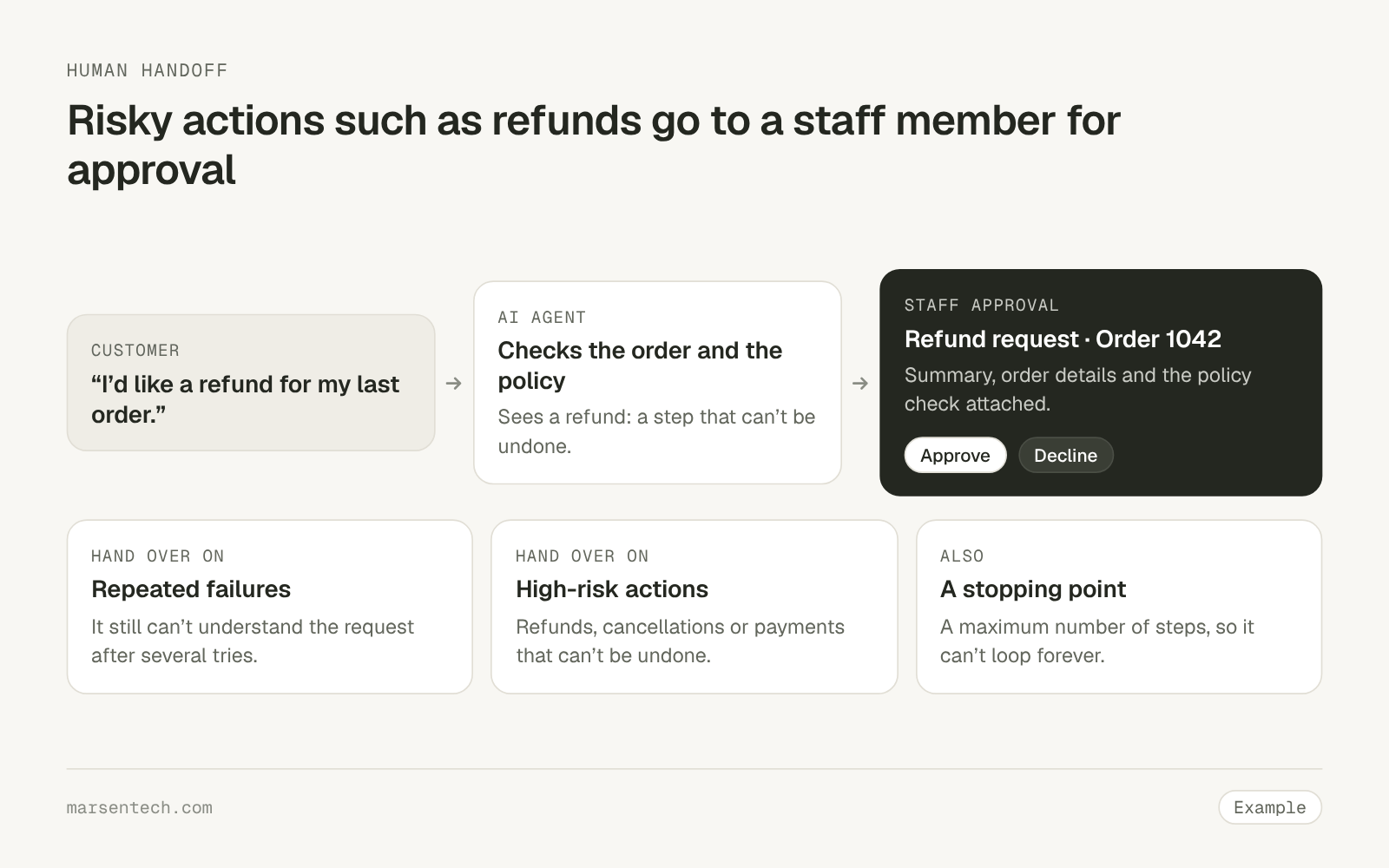
Keep an AI agent safe by limiting what its tools can do and keeping a person in charge of risky actions.
OpenAI's guide names two moments to hand control to a person:
- Repeated failures: The agent still can't understand the request after several tries.
- High-risk actions: Steps that are sensitive or can't be undone, such as refunds, cancellations or payments.
Anthropic also recommends testing agents in a sandbox first. Give each agent a stopping point, like a maximum number of steps, so it can't loop forever. Our guide to human approval for AI agents shows how we add these checks.
What does building AI agents look like for a small business?
For a small business, building AI agents usually starts with one assistant that answers inquiries and books calls.
Here's how to build an AI agent for a coaching institute, as a typical first project:
- A student sends a message: The inquiry arrives on WhatsApp or the website chat.
- The agent answers: It replies with fees, batch timings and course details from approved information.
- It offers a slot: It checks the counselor's calendar and books a demo class or a call.
- It updates the CRM: The lead, the course and the booking are saved automatically.
- It hands off when unsure: Unusual questions go to a counselor with a short summary.
This is the kind of AI agent we build most often. One service business we worked with went from 1 closed deal a month to 7 after adding AI follow-up. That's one result, not a promise.
What mistakes should you avoid?
The most common mistake when you learn how to build AI agents is giving one agent too many jobs at once.
Watch out for these too:
- Vague instructions: The agent fills the gaps with guesses, so spell out each step and each limit.
- Too many similar tools: Tools that overlap confuse the agent, so give each one a clear, separate purpose.
- Launching to everyone at once: Start with a small group of customers, and widen it once the answers hold up.
- No one reads the logs: Review conversations weekly, because that's where you find wrong answers early.
Frequently asked questions
How long does it take to build an AI agent?
A simple agent with one task and two or three tools can be ready in a week or two. Agents that touch many systems take longer, mostly because of testing.
Do I need to know how to code?
Not for most small business agents, because visual builders handle the connections. For custom systems, high volumes or private data, it's worth asking a developer to set it up.
Should I build one agent or several?
Start with one agent, because OpenAI's guide recommends getting the most out of a single agent first. Split the work only when its instructions or tools get too complex.
What's the difference between an AI agent and a chatbot?
A chatbot answers questions in a conversation. An AI agent can also take actions, like booking a slot or updating your CRM.
Which AI model should I use?
OpenAI's guide suggests starting with a strong model so you know what good answers look like. Then test smaller models and keep the cheapest one that still meets your standard.
How much does an AI agent cost to run?
Running costs depend on the model, the number of conversations and the tools involved. For small agents, the time spent building and testing is often the bigger cost.
Can an AI agent work on WhatsApp?
Yes, an agent can reply to customers on WhatsApp through the WhatsApp Business Platform. That's how we build most agents for businesses in India.
Who wrote this guide?
Aranyak Sengupta is a co-founder of Marsen Technologies, an AI automation company in Siliguri, India. He builds and tests AI agents, WhatsApp enquiry automation and CRM follow-up workflows. His focus is coaching institutes, clinics and other service businesses.
What should you read next?

Built around your business
Put these ideas to work in your business.
Book a demoShow us how your team works today. We’ll help you choose a useful first step.